
Comparisons between different tools became a real part of my daily workflow, so I decided to run my own productivity test instead of trusting marketing claims. Over several months, I worked directly with different tools and did an honest Best ai chatbot comparison to see which ai chatbot is best in real situations. I tested ChatGPT, Claude, Gemini, Grok, and even Copilot in tasks like writing, research, coding, and problem solving. In my experience, ChatGPT, Claude, and Copilot often work best for coding, while Gemini and Grok have recently become surprisingly strong in calculations and analytical tasks, especially Gemini.
Table of Contents
How I Tested the Best AI Chatbot for Real Productivity

Best ai chatbot claims are everywhere, but I wanted to see the real results in my daily work. So I ran my own ai chatbot productivity test using the tools I actually rely on: ChatGPT, Claude, Gemini, Grok, Copilot, and a few others. Instead of simple prompts, I tested them with real projects such as coding, documentation, data analysis, and content creation. My goal was simple: understand which ai chatbot is best when you push these systems with practical tasks instead of artificial benchmarks.
My Testing Method for Comparing AI Chatbots
For this ai chatbot comparison, I tried to keep my workflow consistent across all tools. I used almost the same writing style and prompts for every model so the results would be fair. For example, I gave the same class of code to multiple tools and asked them to optimize it and generate documentation. Most tools handled optimization well, but the most complete results usually came from ChatGPT and Copilot, with Claude occasionally producing strong structured explanations, making them strong candidates for the best ai chatbot in development tasks.
Tasks I Used in the Productivity Test
In this best ai chatbot for productivity experiment, I also tested tasks beyond coding. For example, Gemini analyzed one of my attendance data files far better than ChatGPT and Grok, showing strong analytical capability in this ai chatbot comparison. For long and complex content generation, ChatGPT and Grok performed impressively, while Gemini worked better for structured, section‑by‑section content. I also tested image prompts across models; ChatGPT produced the most realistic images, Gemini delivered high‑quality visuals with Imagen, and Grok handled precise aspect ratios surprisingly well.
ChatGPT vs Claude – Which AI Chatbot Works Better for My Workflow?

In my daily claude vs chatgpt experience, both tools are powerful but they shine in different parts of my workflow. When I tested them side‑by‑side in a real claude ai vs chatgpt scenario, the differences became clearer. ChatGPT often felt faster and more flexible for mixed tasks like writing, coding, and brainstorming, while Claude sometimes produced more structured long explanations. This comparison helped me understand that choosing the best ai chatbot often depends on the task rather than the model itself.
Strengths of ChatGPT in Daily Productivity
From my experience, one of the biggest chatgpt advantages is versatility. In many situations, it feels like the best ai chatbot when I need quick results across multiple tasks. For example, I often use it to generate structured content, fix code snippets, or even outline tutorials about topics like AI in online learning, where it quickly organizes complex ideas into clear sections. ChatGPT also tends to produce more natural writing, which makes it very helpful when creating long articles or technical guides.
When Claude Performs Better Than ChatGPT
There were also moments in my tests where Claude surprised me. In some claude vs gpt 4 style comparisons, Claude handled very long prompts and detailed explanations more calmly and consistently. For deep reasoning tasks or analyzing large documents, I sometimes felt Claude had the edge. That’s why the question is claude better than chatgpt does not have a simple answer. In certain analytical scenarios, Claude can definitely outperform ChatGPT, especially when the task requires structured thinking.
ChatGPT vs Gemini – A Real Productivity Comparison

My real chatgpt vs gemini testing felt less like comparing two tools and more like comparing two tech giants: OpenAI and Google. In this hands‑on ai chatbot comparison, I pushed both models through tasks I actually do every day, from content creation to data analysis. What I learned is that the gemini vs chatgpt debate is not about which AI is universally better, but which one fits a specific workflow. In several situations, both tools delivered impressive results in different ways.
Where Gemini Surprised Me
One of the most surprising moments in my gemini vs chatgpt experiments came when I tested Gemini with a real employee attendance dataset. Gemini handled the task with impressive analytical precision, converting dates between Gregorian and other formats, identifying monthly work hours, calculating leave days, and summarizing total work time automatically. In this kind of structured ai chatbot comparison, Gemini’s computational and analytical abilities stood out clearly, showing how powerful it can be for administrative data processing and spreadsheet‑style analysis.
When ChatGPT Still Wins
Even though Gemini impressed me in data analysis, there are still many ChatGPT advantages that keep it as my daily default tool. For creative thinking, writing long articles, or brainstorming ideas, ChatGPT consistently feels like the best AI chatbot for speed and flexibility. When I need multiple angles for a topic or fast content drafts, ChatGPT usually generates broader and more natural responses. Users looking for roleplay, AI companions, or interactive conversations may find a Best Character AI Alternative more suitable than a productivity-focused chatbot, depending on their goals.
Gemini vs Grok – Which AI Chatbot Is More Useful?

Testing gemini vs grok felt like exploring two very different approaches to AI. In this real ai chatbot comparison, I tried both tools in practical scenarios like content creation, research, and quick data tasks. Many people look for chatgpt alternatives, and both Gemini and Grok often appear in that conversation. From my experience, Gemini felt more structured and analytical, while Grok sometimes delivered faster and more casual responses, making each tool useful depending on the type of work I needed to complete.
Grok’s Unique Features
One thing that stood out while testing Grok was how different it felt compared to many chatgpt alternatives. Grok often generated quick responses and handled conversational prompts in a very fluid way, which made brainstorming and idea exploration surprisingly fun. In several content‑creation tasks during my ai chatbot comparison, Grok produced creative suggestions that felt less rigid than other models. This made it useful when I wanted a fresh perspective or unusual ideas while drafting articles or planning new content.
When Gemini Is a Better Choice
However, in some cases Gemini still felt like the stronger option. During my gemini vs chatgpt and Grok testing, Gemini showed better performance in structured tasks such as calculations, data interpretation, and organized content generation. For example, when I asked it to handle a computational problem and also generate structured content from the results, Gemini managed both parts smoothly. This balance between analysis and content generation made Gemini a reliable tool when tasks required both logical processing and clear explanations.
ChatGPT vs Claude vs Copilot for Coding – Which AI Chatbot Helps Me More?

When I seriously tested claude vs chatgpt for coding, I realized the comparison becomes even more interesting when Copilot joins the workflow. In real development tasks like debugging classes, improving functions, and writing documentation, each tool behaved differently. From my experience searching for the best ai chatbot for coding, ChatGPT felt like a flexible coding assistant, Claude acted more like a careful code reviewer, and Copilot worked like a fast autocomplete engine directly inside the editor.
Coding With ChatGPT
One of the biggest chatgpt advantages in coding is how well it explains logic. When I paste a complex class or function, ChatGPT not only suggests improvements but also breaks down what the code is doing step by step. During my experiments to find the best ai chatbot for coding, I often used ChatGPT to optimize functions, generate documentation, and even refactor messy code. For larger development tasks, enabling ChatGPT Agent makes the experience even more effective by allowing it to work through multi-step coding workflows, making it a strong choice for debugging, refactoring, and building more complex software projects. It feels more like collaborating with a developer who can both write and explain code clearly.
Coding With Claude
During my claude vs chatgpt for coding tests, Claude impressed me when dealing with long code files or complex logic. When I gave it larger blocks of code, Claude often produced structured explanations and spotted logical problems that were easy to miss. It sometimes takes a more analytical approach than ChatGPT, which makes it useful for reviewing architecture or understanding complicated algorithms rather than quickly generating new code from scratch.
Coding With Copilot
Using Copilot for coding feels very different from using a chatbot because it works directly inside the development environment. Instead of long conversations, Copilot continuously suggests code while I type, which dramatically speeds up repetitive tasks. In my workflow, I often combine Copilot with ChatGPT: Copilot helps generate quick code snippets, while ChatGPT explains logic and improves structure. This combination actually feels like having a smart coding assistant and a code reviewer at the same time.
When I Use Each AI Chatbot (My Personal Workflow)
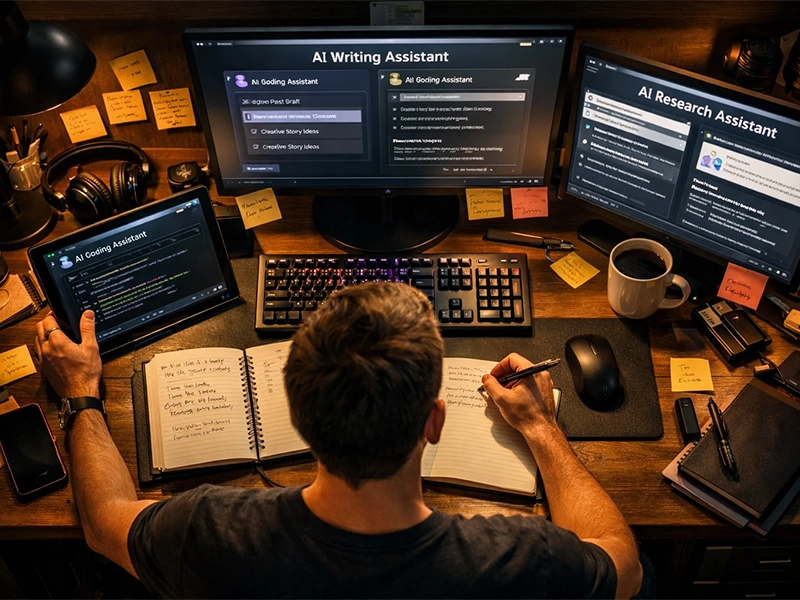
After weeks of testing different tools, I realized the real question isn’t just which ai chatbot is best, but when each one works best. My workflow slowly evolved as I compared them during real tasks like writing articles, solving coding problems, and researching complex topics. While many people search for the best ai chatbot, I discovered that each tool fits a specific moment in my workflow. Understanding when to use Claude vs ChatGPT, or when Gemini or Grok performs better, dramatically improved my productivity.
When I Use ChatGPT
In my daily workflow, ChatGPT is usually the first tool I open. Whether I’m outlining an article, brainstorming ideas, or refining a piece of content, it often feels like the best ai chatbot for getting momentum quickly. One reason is how well it balances creativity with structured answers. When I’m starting a project or exploring new ideas, ChatGPT helps me move from a blank page to a clear direction faster than most tools I tested.
When I Use Claude, Gemini, or Grok
However, I often switch to other tools depending on the task. These chatgpt alternatives become extremely useful when I need different strengths. Claude is great when I want deeper analysis or structured reasoning, Gemini works well for tasks involving data, calculations, or research, and Grok sometimes brings creative or unexpected ideas. Instead of replacing ChatGPT, these tools complement it. In my workflow, using several chatgpt alternatives together actually creates a much more powerful AI toolkit.
Conclusion
After testing all these tools in real tasks, I realized that choosing the best ai chatbot isn’t about finding a single winner. Each platform has strengths that shine in different situations. ChatGPT often works best for writing, brainstorming, and explaining ideas clearly, Claude is excellent for deep analysis and reviewing complex information, Gemini performs well with structured data and research, and Copilot speeds up coding directly inside the editor. In my daily workflow, combining these tools instead of relying on only one actually delivers the best productivity results.